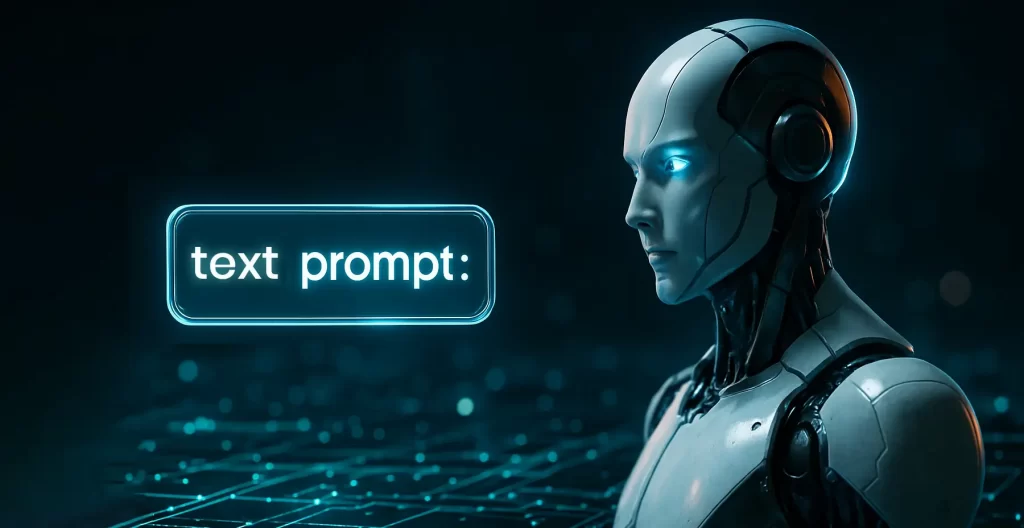
Lets discuss how to write a perfect image prompt.
It’s 9:40 pm.
Your client wants a fresh blog hero in twenty minutes.
You open the AI tool.
Cursor blinks. Brain stalls.
Been there? Same.
Here’s the good news: great prompts aren’t magic. They’re lego blocks. Snap them in a fixed order, and your image looks clean, on-brand, and ready to ship.
Let’s tell a quick story and learn how to write a perfect image prompt.
The brief (two lines, zero panic)
Riya, a designer, needs a clean 16:9 blog hero.
No text inside the image. Simple pastel background. Editorial feel.
She could type a paragraph and pray.
Or she could use the formula you’re about to learn.
Riya’s One-Letter Prompt Method: S-C-C-L-P-Q-A-N
It’s still Riya at her desk. Same hero image. Same deadline.
She opens a new prompt box and answers one tiny question per letter.
S — Subject
Q: What is in the image?
Riya answers: “Minimal split-screen hero.”
Riya writes: Minimal split-screen hero
C — Context / Scene
Q: Where is it? What’s around it?
Riya answers: “Soft pastel gradient background.”
Riya writes: on a soft pastel gradient background
C — Composition / Camera
Q: How is it framed? From which angle?
Riya answers: “Center-weighted, lots of negative space.”
Riya writes: center-weighted composition, lots of negative space
L — Lighting
Q: What kind of light and mood?
Riya answers: “Soft daylight, gentle shadows.”
Riya writes: soft daylight, gentle shadows
P — Palette / Style
Q: Color feel and visual style?
Riya answers: “Pastel palette, minimal editorial style.”
Riya writes: pastel palette, minimal editorial style
Q — Quality Words
Q: Finish and fidelity?
Riya answers: “Crisp detail, subtle depth, web-ready.”
Riya writes: crisp detail, subtle depth, web-ready
A — Aspect Ratio
Q: Final size/crop?
Riya answers: “16:9 for a blog hero.”
Riya writes: 16:9
N — Negative (Avoid)
Q: What must NOT appear?
Riya answers: “No text, no logos, no watermark, no brand UI, no artifacts.”
Riya writes: Avoid: text, logos, watermark, brand UI, artifacts.
Riya’s final one-liner (ready to paste)
Minimal split-screen hero on a soft pastel gradient background,
center-weighted composition with lots of negative space,
soft daylight and gentle shadows, pastel palette, minimal editorial style,
crisp detail, subtle depth, web-ready, 16:9.
Avoid: text, logos, watermark, brand UI, artifacts.
Bonus: Riya tries two more use-cases
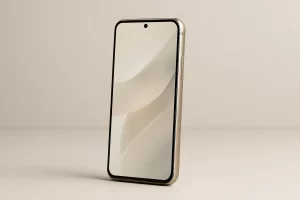
1) Product Mockup (square)
- S: smartphone product shot
- C: on a seamless studio surface
- C: front three-quarter angle
- L: even studio lighting
- P: neutral palette, photoreal product style
- Q: high clarity, clean reflections
- A: 1:1
- N: Avoid: brand logos, text, watermark
Riya’s prompt
Smartphone product shot on a seamless studio surface,
front three-quarter angle, even studio lighting,
neutral palette, photoreal product style, high clarity, clean reflections, 1:1.
Avoid: brand logos, text, watermark.
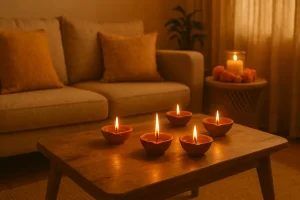
2) Festive Indian Scene (hero)
- S: cozy home interior with diyas
- C: low wooden table, airy layout
- C: rule-of-thirds framing
- L: soft golden light
- P: warm marigold palette, natural textures
- Q: gentle depth, web-ready
- A: 16:9
- N: Avoid: text, brand logos, watermark, religious symbols in focus
Riya’s image prompt
Cozy home interior with diyas on a low wooden table,
rule-of-thirds framing, soft golden light,
warm marigold palette, natural textures, gentle depth, web-ready, 16:9.
Avoid: text, brand logos, watermark, religious symbols in focus.
Riya’s sticky note (keep next to your monitor)
S-C-C-L-P-Q-A-N
Subject • Context • Composition • Lighting • Palette/Style • Quality • Aspect • Negative
Write one short phrase per letter. Then join them into a single clean line. That’s it.
Quick picker (copy-paste options)
S: blog hero image / smartphone product shot / cozy living room / office workspace
C: soft pastel gradient / seamless studio surface / warm home interior / top-down desk
C: center-weighted / rule-of-thirds / top-down flat lay / 50mm portrait / wide 24mm
L: soft daylight / golden hour / even studio light / moody cinematic
P: pastel minimal editorial / photoreal product / cinematic warm / clean tech
Q: crisp detail / high clarity / subtle depth / web-ready
A: 16:9 / 1:1 / 3:1 / 4:5
N: no text / no logos / no watermark / no brand UI / no artifacts
Why this works (and keeps working)
- It forces clarity: what, where, how lit, which vibe.
- It locks aspect ratio early (no weird crops).
- It blocks junk with negatives (no random text, no logos).
- It’s fast. You can write a pro prompt in 20–30 seconds.
Try these now (ready AI prompts)
1) Blog Hero (16:9, no text)
Clean blog hero with soft pastel gradient, subtle depth,
balanced layout with lots of negative space, editorial style,
soft daylight, crisp detail, 16:9.
Avoid: text, logos, watermark.
2) Product Mockup (1:1)
Studio product shot of a smartphone on a seamless surface,
front three-quarter angle, three-point soft lighting, gentle reflection,
high clarity, 1:1.
Avoid: brand logos, text, watermark.
3) Festive Indian (16:9)
Warm home interior with diyas on a low wooden table, soft golden light,
marigold accents, airy composition, natural textures, 16:9.
Avoid: text, brand logos, watermark, religious symbols in focus.
4) LinkedIn Banner (3:1)
Minimal tech banner with soft gradient, thin shadows, clean geometry,
ample space for headline placement, 3:1.
Avoid: text, logos, watermark.
Same idea, different AI tools (how to phrase it)
/imagine prompt: {your S-C-C-L-P-Q text}
–ar 16:9 –stylize 150 –seed 123 –chaos 5 –quality 1
Tips: –ar for size, –seed to repeat a look, –stylize for drama.
DALL·E 3
Create a clean, modern image: {your S-C-C-L-P-Q text}.
No readable text, no logos, no watermarks. Web-ready, high quality, negative space.
Be very clear about “no text/no logos.”
Prompt: {your S-C-C-L-P-Q text}, premium, clean background, high detail, web-ready
Negative prompt: text, watermark, brand logos, artifacts
Params: aspect 16:9, guidance 7–9, Prompt Magic ON
Stable Diffusion XL
Prompt: {your S-C-C-L-P-Q text}, highly detailed, realistic, soft shadows
Negative: text, watermark, extra fingers, deformation, brand logos
Width: 1536 Height: 864 Steps: 30–40 CFG: 6–8 Sampler: DPM++ Seed: 12345
Adobe Firefly
Photo type: product/editorial
Prompt: {your S-C-C-L-P-Q text}, brand-safe, commercial use, minimal background
Avoid: text, brand logos
Style packs (bolt-on flavors)
Use one pack at a time. Keep it clean.
- Realistic / Editorial: photorealistic, natural skin tones, 50mm lens, f/4, soft daylight
- Cinematic: cinematic still, 24mm wide, golden hour, film grain, moody contrast
- Product / E-com: studio product shot, shadow catcher, gentle reflection
- Minimal / Tech: flat lay, soft pastel gradient, thin shadows, lots of negative space
- Illustration / Flat: vector flat, clean geometry, limited palette, soft edges
- 3D / Isometric: isometric 3D, soft global illumination, subtle AO, neat bevels
Video prompts in one minute (Runway / Pika / Luma)
SHOT – CAM – MOVE – LIGHT – MOOD – TIME
A [shot type] of [subject] in [scene].
Camera: [lens] with [movement].
Lighting: [light]. Mood: [tone].
Duration: 5s. Aspect: 16:9. Clean background.
Avoid: text, logos, watermark.
Example
Top-down wide shot of a tidy designer desk with laptop.
Camera: 35mm, slow dolly-in. Lighting: soft daylight. Mood: calm, premium.
Duration: 5s, 16:9. Avoid: text, logos, brand UI.
Brand-safe every time (non-negotiables)
- Always add: Avoid: text, logos, watermark.
- Save seed, model version, prompt for audit trails.
- Watch hands, faces, and edges for artifacts.
- Prefer tools with provenance / content credentials.
- Be respectful when you add Indian context (props, attire, festivals).
Common mistakes → quick fixes
- Too vague? Add camera, light, palette.
- Too busy? Ask for “minimal,” “negative space,” “clean background.”
- Wrong crop? Set aspect ratio in the prompt/flags.
- Random text/logos? Strengthen negatives.
- Inconsistent look? Reuse the same seed and a simple style pack.
The wrap “How to Write a Perfect Image Prompt”
Riya ships the hero on time. While teaching how to write a perfect Image Prompt.
Client replies with a smile.
Not luck. Legos.
Next time you see a blinking cursor, drop S-C-C-L-P-Q-A-N and breathe.
Copy-ready “Prompt Card” (save this)
[Subject] in [context/scene], [composition/camera], [lighting],
[color palette/style], [quality words], [aspect ratio].
Avoid: [text, logos, watermark, artifacts].
FAQs: How to write a perfect image prompt
Q1. What is a prompt in AI image generation?
A short instruction that tells the model what to create. Good prompts set subject, scene, camera, light, style, and what to avoid.
Q2. How long should a prompt be?
Short. Clear. One or two lines. Use the formula. Remove fluff.
Q3. Can I reuse the same prompt across tools?
Yes. The core prompt stays the same. Adjust flags and settings per tool.
Q4. How do I keep it brand-safe?
Add no text/no logos, save prompt + seed, and use platforms that support provenance or content credentials.
3 comments
Comments are closed.

[…] give AI 5 things in a prompt: Goal + audience + format + brand style + must-have / must-avoid. That’s it. Your outputs will […]
[…] Prompt: Generate a premium studio product visual for . Composition: product in focus, slightly right; empty space left for text overlay. Lighting: softbox, clean highlights, premium feel. Background: [solid/gradient] in [hex or color name]. Materials: realistic, sharp detail, no noise. Must avoid: random objects, messy props, text, watermark. Output 3 variations: […]
[…] AI cinematic prompts are prompt templates written to generate images that look like movie stills. They usually include […]